10DLC Compliance Form
NonCents SMS opt-in form
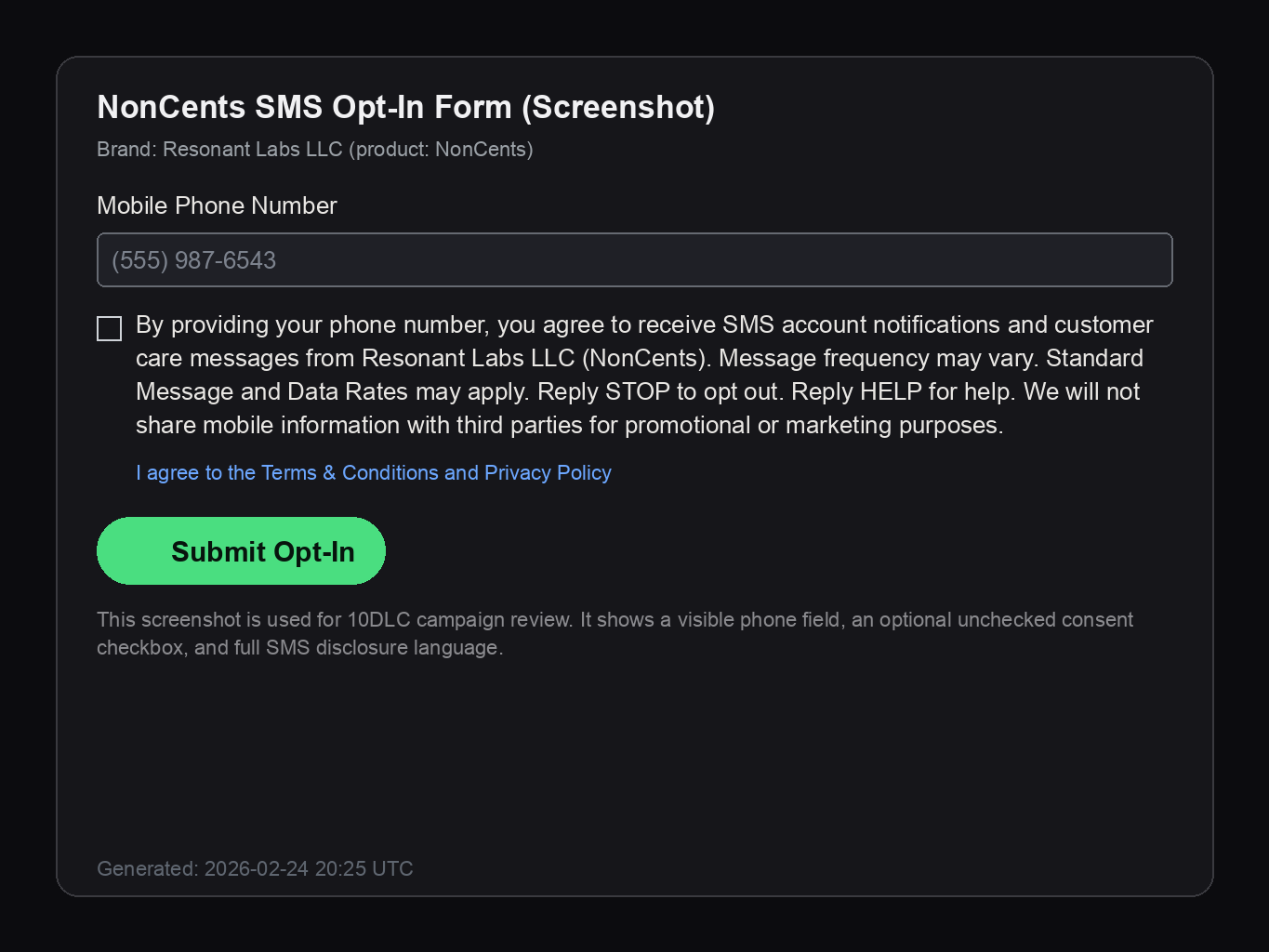
This page shows the web form users complete to consent to recurring NonCents financial alert messages.
SMS opt-in form (web)
Opt-in workflow summary
- User enters mobile phone number in the form field above.
- User optionally checks the SMS consent checkbox (unchecked by default).
- User submits the form and is enrolled for account notification + customer care messaging.
- User can opt out anytime by replying STOP, or get support by replying HELP.
Auto-response templates
Opt-in message
NonCents: You are subscribed to financial spending alerts. Msg frequency varies. Msg&data rates may apply. Reply HELP for help, STOP to opt out.
Help message
NonCents: Financial spending alerts. Msg frequency varies. Msg & data rates may apply. Reply STOP to opt out, HELP for help. Support: support@noncents.ai
Opt-out message
You are unsubscribed from NonCents SMS. Reply START to re-subscribe.
Opt-in screenshot proof
Direct image link: https://www.noncents.ai/sms-consent-proof.png
Sample outbound messages
- NonCents: Quick check-in. You spent $84.21 on dining yesterday across 3 purchases. Reply HELP for help, STOP to opt out.
- NonCents: Heads up, your groceries spend is 28% above your 4-week average. Reply STOP to opt out.
- NonCents: New transaction detected: $62.40 at Target on card ending 1234. Reply HELP for help, STOP to opt out.